
This is the second part of the new vSphere 6.0 improvements and or new features blog series. The first part covered the vMotion improvements and can be found here. VMware vSphere 6.0 documentation page including release notes, installation documents, upgrade documents, component documentation and so on can be found here. This part of the blog series …
Category Archive: vSphere
vSphere 6.0 blog – vMotion
There are a ton of new features and improved features in the release of vSphere 6.0 and my intention is not to go through all of them and make yet another release note copy. VMware has put together a vSphere 6.0 documentation page that includes all the information you require in terms of release notes, …
Update vCenter Server Appliance without internet connection
Last week i published a blog post where i outlined how to install an Apache web server on a CentOS virtual machine (VM). The web server was required to install, update and upgrade a few other applications and one of them was the vCenter Server Appliance (vCSA) from version 5.5.0 Update 1c to the latest available version 5.5.0 …
vSphere 5.1 U3 available
Yesterday, 2014-12-04, VMware released vSphere 5.1 U3 and one really nice thing is that vCenter Server now supports Microsoft SQL Server 2014. Another resolved issue is that a storage vMotion operation resets the change block tracking. vCenter Server release notes can be found here ESXi server release notes can be found here You can download …
Set vCenter Server Annotations via vCloud Automation Center deployment

How can i update the virtual machine (VM) Annotations field in vCenter Server when requesting a VM via vCloud Automation Center (vCAC), soon to be renamed to vRealize Automation (vRA)? I have had this question a few times the last couple of weeks. This blog post will describe how you can solve this. The below figures shows …
Nutanix Data Protection – Restore your data
In my previous “Nutanix Data Protection – Secure your data” found here i discussed how you can use Nutanix Prism to create Nutanix snapshots of your virtual machines (VMs). In this blog post i’ll take you through the process of restoring the VMs to a VMware vSphere environment. I’ll show you two separate use cases: Restore …
Nutanix and vSphere deployment via vCenter Orchestrator
A few weeks back me and my colleagues Phil Ditzel and Artur Krzywdzinski was asked to create a customer demo including Nutanix and vSphere deployment. We decided to use vCenter Orchestrator (vCO) as the provisioning engine but this can be done via e.g PowerShell as well. The following steps are included in the vCD workflow we …
Nutanix Data Protection – Secure your data
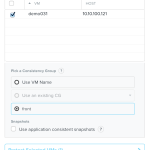
While doing customer, partner and event presentations the last couple of weeks i have been asked quite a lot of questions and one question that seems to pup up every time is about Nutanix Data Protection. This blog post (first in a series of blog posts) will outline how to configure Nutanix Data Protection within …
New VMware releases 2014-09-09
Today, 2014-09-09, VMware released new versions of many products included in vCloud Suite: VMware ESXi 5.5.0 Update 2 – release notes here VMware vCenter Server 5.5 Update 2 – release notes here VMware vSphere Replication 5.8 – release notes here VMware vSphere Data Protection 5.8 – release notes here VMware vCenter Orchestrator Appliance 5.5.2 – release notes here VMware vCloud …
Upgrade ESXi 5.5 to ESXi 5.5 U1 using HP image fails

Before i start an upgrade i usually run two commands just to verify what build number my ESXi host currently uses and what image my ESXi host currently uses: vmware -v – shows the build number esxcli software profile get – shows the image name and in my case the result before the upgrade was: …
vSphere VM vCPU to ESXi host pCPU core allocation

There has been quite a lot of discussion regarding resource utilization and resource allocation in vSphere environments lately. There are a lot of tools around doing analysis (some better than others) of your environment and gives suggestions if you need to e.g.: Add more resources (CPU, RAM, Disk, Network) to your vSphere cluster. Down size …
VMware ESX 4.x & VMware ESXi 4.x End of Life

It has now (2014-05-21) been 5 years since the VMware hypervisor release 4.x was released. For those of you still running VMware ESX 4.x and/or VMware ESXi 4.x should consider to perform an upgrade or a clean installation since the product actually reached end of life (EOL) 2014-05-21. R.I.P VMware vSphere 4 – Cloud Operating …
Windows Server 2012 R2 preparation before vCenter Server 5.5 installation

This is a blog post dedicated to some of the steps you need to complete before installing vCenter Server 5.5 U1 on a Windows Server 2012 R2 machine. Since i have written one or more of the below described actions several times in emails to customers i thought it was a good idea to create …
vCenter Server permission problem in vSphere 5.5

Blog post updated 2014-03-26: Today i received a message from VMware Product Engineering telling me that the default behavior in vSphere 5.5 is to entering the full child domain before the username meaning this was expected. However, i have encountered that if you type the entire child domain name before the userid (in my case xy.vcdx56.commagnus) …
Create multiple VMs from existing vSphere VM using PowerCLI
I recently published the blog post “Create multiple VMs using PowerCLI” and as i mentioned in the post i thought the next request would be a PowerCLI script to create multiple VMs from an existing vSphere virtual machine (VM). It just took a few days before the request reached my email inbox. I actually received a few …
Create multiple VMs using PowerCLI
A couple of days ago i received a request from a customer asking for a PowerCLI script to create VMs. There were a couple of requirements for the script. Specify the number of VMs to be created. The VMs must be powered on after the creation. The VMs must be placed on all ESXi hosts …