
A few days ago, 2017-09-15, Nutanix released a new version of its Acropolis Operating System (AOS) formerly known as Nutanix Operating System (NOS). The is the first AOS release that supports IBM Power Systems and means you now have the opportunity to use multiple platforms and not only x86 as the physical platform for your …
Category Archive: AOS
Nutanix AHV Version 20160925.84 Released
Today, 2017-09-06, Nutanix released a new AHV hypervisor version. The latest and greatest version is now 20160925.84. There are quite a few enhancements in this version including e.g.: Random read and write performance has been increased. Improved scheduler logic during live migration and upgrade operations. Security Updates VM power on performance is improved. AHV behaviour …
Nutanix Cluster Check (NCC) Version 3.1 Released

Quick blog post to let you know that Nutanix Cluster Check (NCC) version 3.1 has been released. You can run NCC via: CVM command line by using command bcc health_checks run_all Via PRISM UI -> Health -> Actions -> Run Checks There are eight new checks, according to the below list, in this release and there …
Create Nutanix AHV Virtual Machine Via Command Line

While travelling back home from last weeks Nutanix sales kick off in Las Vegas i tried to do some performance testing in my home lab via the airplane WiFi connection. After a resent request the airline has actually open up for outbound SSH connections so i was able to access my home lab via SSH …
Change Nutanix PRISM UI Login Screen
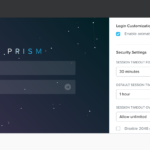
A quick blog post about how to change the Nutanix PRISM UI login screen look and feel. Another setting is the UI contrast which I tell you how to change in blog post Quick Tip – Adjust/Change Prism UI Contrast. Backup to the login screen, based on the cluster purpose I have some different configurations and …
Nutanix Network Visualization & Arista Switch Configuration

Updated 2019-05-13: Including updated links for AOS 5.10.x including supported switches. —————————————————————- This blog post will cover Nutanix Network Visualization which is pretty handy when you need to further increase visibility into your datacenter infrastructure. The network visualization provides e.g. the logical to physical network mapping in Prism including VMs, AHV Hosts and physical switches and …
Nutanix AHV Version 20160925.71 Released
Updated 9/8 – New Metadata JSON file available via Nutanix Portal Two days ago, 2017-07-18, Nutanix released a new version of its hypervisor AHV. The latest and greatest version is now 20160925.71. Acropolis Operating System (AOS) formerly known as Nutanix Operating System (NOS) version 5.1.1.1 is required to run AHV 20160925.71. There are quite a few …
Disable Nutanix PRISM Login Screen Animation

A while back i had to change the Nutanix PRISM login screen behaviour to not include the animation of background particles. There are quite a few ways of doing this as described in Nutanix knowledgeable article 1308 This blog post will cover 4 different ways of managing the animation and the reason for this blog …
Import Windows Virtual Machine Using EFI Boot From VMware ESXi To Nutanix AHV

There are quite a few ways to migrate virtual machine (VM) from existing virtualisation solution to a Nutanix solution depending on e.g.: Source hypervisor Target hypervisor Keeping existing hypervisor or changing existing hypervisor. Moving VMs from non Nutanix system to Nutanix system Moving VMs between Nutanix systems. This blog post will cover a specific …
Veritas NetBackup with Nutanix AHV Best Practices Guide Available
In addition to the “Veritas NetBackup with Nutanix & vSphere Best Practices Guide Available” which you can read about here there is now a “Veritas NetBackup with Nutanix AHV Best Practices Guide” available. The following topics are included in the guide: Nutanix Enterprise Cloud Platform Overview In-Guest VM Backup and Restore Component Overview Component Sizing …
List number of VMs per Nutanix AHV host
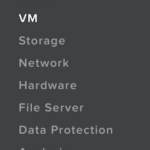
Got a question a few days ago about how to list number of virtual machines (VMs) per Nutanix AHV host. From the top of my head I can think of two ways: PRISM Script PRISM It’s really simple to either view VMs per AHV Hosts direct in the UI and even export the information to a …
Change & Verify Nutanix Controller Virtual Machine Network (VLAN) Placement

In most of my deployments I need to place the Nutanix Node (AHV, ESXi, Hyper-V) and the Nutanix Controller Virtual Machine (CVM) on a non default VLAN. This blog post will cover the CVM part and by following the below steps you can easily place a CVM on a specific VLAN and also verify the …